AEC/BIM Solutions

Maximize your Architecture, Engineering, and Construction with expert consulting services and expert BIM optimization services that digitize workflows, enhance team collaboration, and enable data-driven decisions for improved project delivery.

What Are AEC & BIM Solutions?

AEC & BIM solutions support architecture, engineering, and design teams by improving how they use Building Information Modeling (BIM) tools and processes. These services focus on optimizing collaboration, model health, custom configurations, and project delivery; not just using the tools, but using them more efficiently.

Why It Matters

  • Identify and resolve inefficiencies in project workflows
  • Improves collaboration across architecture, structural, MEP, and plant design teams
  • Ensure models meet performance, coordination, and compliance standards
  • Tailor BIM platforms like Revit, Navisworks, and Plant 3D to your project needs
  • Empower teams with custom content and structured deployment
aec-bim-construction-image-04-650
Top Software Solutions for Architects and Builders Enhancing Design with BIM Workflows

Real-World Use Cases

  • Improve cross-discipline collaboration with BIM process assessments. Identify workflow gaps, align teams, and reduce project delays through better model coordination.
  • Deploy BIM tools with custom configurations. Ensure Autodesk Revit, AutoCAD, and Plant 3D are tailored to your firm's needs for faster adoption and consistent project setup.
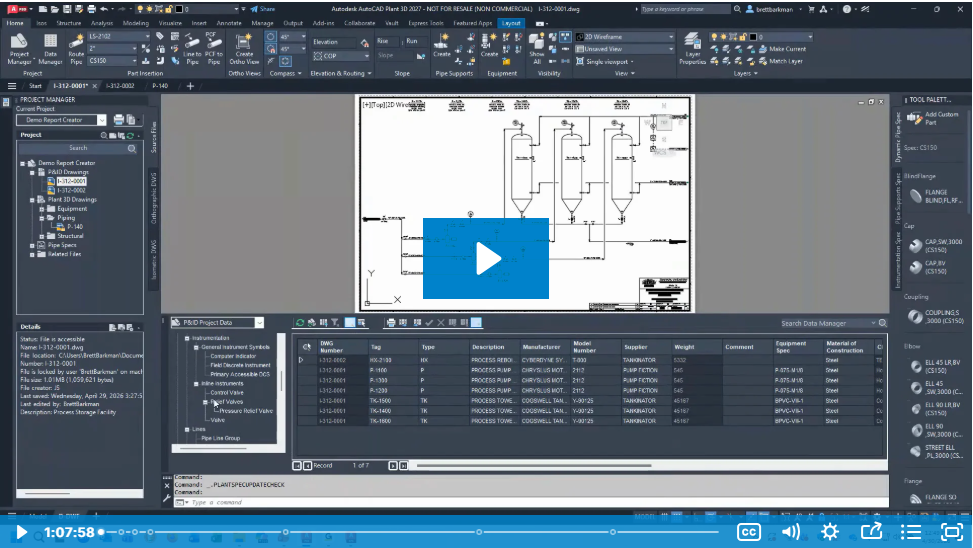
  • Extend Plant 3D functionality with custom parts. Support specialized design requirements and reduce workarounds by expanding your catalog with project-specific components.
  • Strengthen model performance with ongoing support. Detect issues early, reduce clashes, and keep large-scale models optimized for multi-discipline use.

Frequently Asked Questions

Have Questions? We are here to help

Do you only support large firms, or can smaller teams benefit from your services?

We support firms of all sizes. Smaller teams often benefit most from our help with template creation, standards development, and process guidance, especially when scaling up or adopting BIM for the first time.

Can you help us clean up or audit existing Revit models?

Yes! We offer model health checks, troubleshooting, and performance optimization to identify issues and improve the stability and usability of your existing project models.

Do you offer assistance with Revit family creation or management?

Absolutely! We create custom Revit families and help teams organize and manage content libraries to support consistency and reduce project setup time.

What's the difference between your AEC solutions and general BIM training?

Our AEC solutions go beyond software training. We focus on implementation strategy, standards development, and project-specific support that aligns directly with how your teams design and collaborate.

Can you help with multi-discipline collaboration across architecture, MEP, and structural teams?

Yes! We provide support for coordination, model integration, and workflow alignment across disciplines to reduce clashes, miscommunication, and delays during the design phase.

Hagerman Testimonials

We survey each customer after training to ensure complete customer satisfaction.


Dan was extremely courteous and took the time to address individual needs while keeping things moving for the group.
Abby B. Interior Designer Autodesk® Revit® BIM Management: Template and Family Creation
Awesome instructor and would would love more Revit training with Dan in the future.
Anthony B. Mechanical Designer II Autodesk® Revit® MEP New User
Kendred was very timely in response to my call and quick to uncover the problem and provide the solution. As always he was very professional and courteous in his help resolving the problem.
Barry C.
Dan has a strong knowledge of Revit and Dynamo and it shows. He did a great job of presenting and demonstrating the classwork. It was a fast paced class and a recommendation i would have for anyone who takes this class is to be fairly proficient in typing. This class is well worth the time. Thank you.
Brad H. Plumbing Designer Dynamo BIM for Revit Users
Brett did a very good job. with so much material to cover he really excelled in his explanations and knowledge of the software.
Bradley C. Design Engineer
Brett was very knowledgeable about the content and answered all of our questions.
Chad R. Director of Virtual Design Autodesk® Revit® MEP New User
Dan was very knowledgeable and patient as he taught. I'm sure he knows this material and has taught this class enough times for it to be old news to him. However, he teaches with enthusiasm and style that is eager for people to learn. He encourages us to ask questions and have him go over something we may not understand until we are comfortable moving on. It never seems like the one thousandth time he has gone over the same stuff. Great job and I would consider any class he teaches the next time I look for training.
Danny J. Drafting Autodesk® Revit® Architecture New User
The trainer was very knowledgeable and helped me understand how to interact with non Revit default families. In the past when I used Dynamo, I stopped because I could not figure it out.
Garrison K. Plumbing Designer/Coordinator Dynamo BIM for Revit Users
Dan started off with introductions, to get an idea of who I am and my experience level and that eased us into a comfortable environment. Great speaker made it easy to listen to throughout the day. If I had any questions or needed him to repeat anything he was more than happy to answer.
Gary D. CAD/Revit Design Specialist
Brett was able to switch on the fly to help on any subject and truly cared about our learning! The level of detail and examples Brett used to get our head around the topic like checking out a book...Great
Julie F. Director of Interior Design Autodesk® Revit® Collaboration Tools
Hagerman support was great, as usual. Timely response to address issues and patience & competency in answering questions.
Kristi B.
Plenty of tips and tricks from real world use. Would recommend for any new Revit user. The instructor's demonstrations prior to working in course materials really made a positive difference.
Mark F. Structural CAD Operator Autodesk® Revit® Structure New User
Fantastic experience. Brett is an expert for sure and was able to get all concepts across with ease. He navigated fairly quickly through pages and menus, likely due to his expert knowledge but did a nice job back-tracking and explaining how he got places. Top notch experience and would like to explore future training led by Brett.
Mark Z. Engineer
Alice is a wonderful and very patient teacher. She is very knowledgeable in Revit and worked diligently to address all questions we asked her about Revit.
Mary K. Civil Engineer Tech.
Dan was very helpful during the training. He allowed for plenty of time for me to keep up with the commands within the program that he demonstrated. He showed a lot of useful tips and tricks and provided excellent assistance whenever I got stuck on something.
Matthew S. Junior Engineer
Great class. Dan showed us a lot of tips and tricks tailored to our workflow and followed up with specific questions we had regarding how we can best utilize the software.
Michael R. Assistant Project Manager Autodesk® Revit® Structure New User
Amazing and explained everything in a clear and effiecient way. Even going through things multiple times in order too make sure everyone was caught up.
Olivia R. Associate Structural Engineer
Alice was an outstanding instructor. Her knowledge of the subject was impressive and she was very patient with the students.
Ray A. BIM Manager
Brett was fantastic. He was extremely patient and flexible, tailored the content to our specific needs and questions, and was able to pivot for us along the way. Thank you!!
Shelby W. Senior Interior Designer Autodesk® Revit® Collaboration Tools
Gary was an excellent instructor! He displayed and conveyed his expertise with a polished and smooth delivery, as well as his courteous and professional manners each day of the course. He also had full command of the course material, with his deliberate pace and thoroughness that ensured a positive personal learning experience overall. He definitely made learning much easier and satisfying. I wish that all of my instructors were like (or had been like) Gary!
Stan C. Architect AutoCAD® 2D New User
Brett Barkman was an outstanding instructor. He explained all concepts in the curriculum in precise detail and was completely adequate to address all questions and issues.
Taylor P. Healthcare Engineer
Dan is extremely knowledgeable and was eager to help when we had questions or was having trouble with the exercise.
Tracey J. Project Administration Autodesk® Revit® MEP New User