



coolOrange powerSync: Connect Autodesk Vault and Autodesk Forma
coolOrange powerSync is an integration solution, built on coolOrange powerJobs, that connects on-premises Autodesk Vault with Autodesk Forma (formerly Autodesk Construction Cloud), including Forma Data Management and Forma Build. Files and data sync in both directions. Design teams keep working in Vault, Inventor, and AutoCAD, and field and project teams get current files in the cloud.
- Automated publishing: vaulted Inventor and AutoCAD data published as PDF, DXF, Revit, and Navisworks files
- Two-way sync: files, properties, markups, and comments, kept current in both systems
- Workflow sync: Vault lifecycle changes tied to Issues, Submittals, and Document Reviews in Forma
- Built on powerJobs: runs on the Vault Job Processor, configured and customized for your projects by Hagerman
Have Questions?
Request Info
How powerSync Works
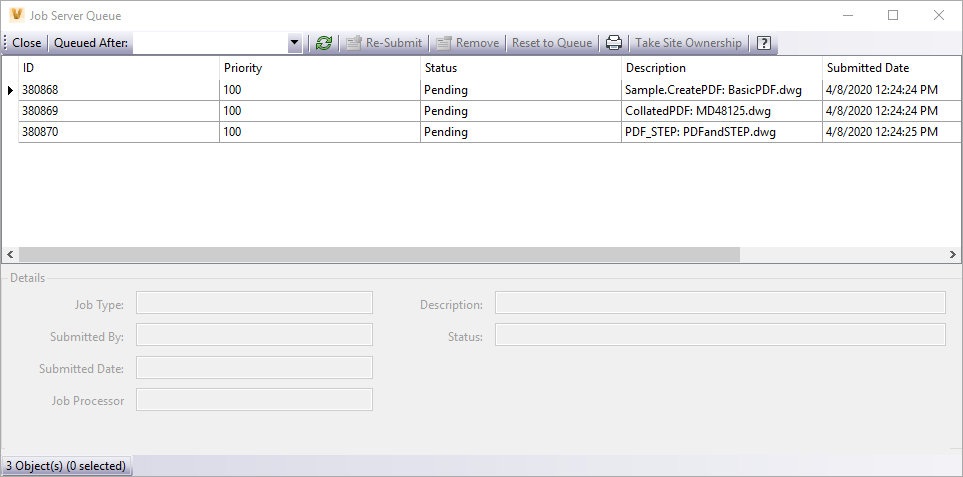
powerSync runs as powerJobs jobs on the Vault Job Processor. It publishes and syncs files when lifecycle events happen in Vault, and it brings changes made in Forma back into Vault.
Publish Vault Files to Forma Automatically
When a file reaches a lifecycle state you choose, powerSync publishes it to Forma in the formats each team needs:
- PDF and DXF for drawings
- Revit and Navisworks formats for coordination
Two-Way Sync Between Vault and Forma
Changes in either system are updated in the other:
- Files and properties: mapped between Vault and Forma, so metadata stays consistent
- Markups and comments: reviewers' feedback in Forma comes back to engineering
- Logging: file versions, metadata, and statuses are recorded for traceability
Sync Vault Lifecycles with Forma Workflows
Vault lifecycle events can start or update Issues, Submittals, and Document Reviews in Forma, and Forma results can feed back into Vault.
How to Get powerSync
powerSync isn't sold on its own. You license powerJobs, and Hagerman sets up powerSync as an integration project for your Vault and Forma environment.
| Item | Details |
|---|---|
| Requires | Autodesk Vault, an Autodesk Forma account, a Vault Job Processor, and a powerJobs license |
| Sign-in | Autodesk Platform Services single sign-on |
| Setup | Delivered as an integration project through Hagerman's Connect Vault to Forma services |

Exceptional Training and Support
Hagerman Solutions Engineers prioritize customer success with every interaction. Hagerman Training classes are developed to give you the maximum value from your technology investment, and the Hagerman support desk delivers prompt, courteous assistance when you need help.
 Course Catalog
View and register for upcoming Autodesk software training classes. All courses are virtual and taught live by Autodesk Certified Hagerman Solutions Engineers. Any course that is listed can be scheduled by request, and additional customized training courses are also available.
 Hagerman Support Desk
Hagerman & Company Support provides critical technical assistance when you need help. Our certified Support Specialists act as an extension of your technical team and will help solve your issues quickly so you can get back to business.
Related Articles

The following modules will only show up on dynamic pages, NOT this listing page.

Why Choose Hagerman
Hagerman & Company has built our success not only on the quality of solutions that we offer, but also on the relationships we’ve built with our clients. To do this, we have adopted a comprehensive Customer Success strategy designed to drive increased long-term customer value, improve the customer experience, and ensure customer satisfaction. This philosophy is shared across our entire organization, including sales, marketing, service delivery, and back-office support.
As a solution provider, we offer the tools to make your company more efficient, productive, and most of all, profitable. We do this by offering best-in-class software paired with professional services delivered by an exceptional team of industry consultants, solutions engineers, and support staff.
Software to Tackle Your Most Ambitious Projects
Whether you need to shorten your design cycle, improve workflows, increase productivity or bring your product to market faster - Hagerman & Company offers world class software to get the job done.
Let us know how we can help.