




AutoCAD MEP Toolset: MEP Drafting and Design in AutoCAD
The AutoCAD MEP toolset adds mechanical, electrical, and plumbing (MEP) design tools to AutoCAD, including more than 10,500 intelligent MEP objects. It's included with every AutoCAD subscription. With the MEP toolset, you can:
- Access a library of 10,500+ intelligent MEP objects
- Optimize your workflow with individual palettes and domain-specific ribbons
- Automatically update drawings, sheets, and schedules when changes occur
Have Questions?
Request Info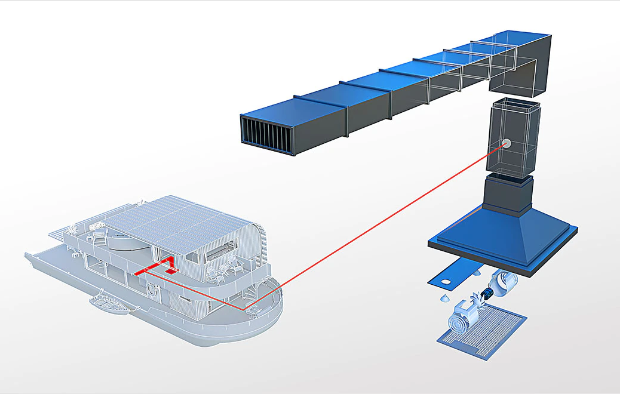

What is AutoCAD MEP?
AutoCAD MEP is one of seven specialized toolsets included with Autodesk AutoCAD. It's MEP CAD software for drafting and documenting building systems (HVAC ductwork, electrical, and plumbing) using intelligent objects that represent real-world components instead of plain lines and blocks.
It's built for MEP engineers, designers, and drafters who produce building-systems drawings in AutoCAD's DWG format. Autodesk reports productivity gains of up to 85% on common MEP drafting tasks with the toolset.
AutoCAD MEP Features
10,500+ Intelligent MEP Objects
Draw with objects that represent real mechanical, electrical, and plumbing components.
MEP Workspaces
Work in domain-specific palettes and ribbons for mechanical, electrical, and plumbing tasks.
Automatic Drawing and Schedule Updates
Drawings, sheets, and schedules update automatically when the design changes.
Duct and Conduit Editing
Lock elevations when editing ductwork, and move or edit conduit runs from their top or bottom edge.
Plumbing Detail Components
Insert detail components such as floor and roof drains from the Detail Component Manager.
IFC Workflows
Exchange models with other BIM tools through improved IFC import and export.
AutoCAD MEP vs. Revit for MEP
- Choose the AutoCAD MEP toolset if your team produces MEP drawings in DWG and wants faster drafting with intelligent objects, inside the AutoCAD subscription you already have.
- Consider Revit if you're moving to BIM, where ductwork, piping, and electrical systems are modeled in a coordinated 3D building model with the architecture and structure.
Many MEP firms use both. The AEC Collection includes AutoCAD (with all seven toolsets) and Revit.
MEP Training Options
Hagerman doesn't offer a dedicated AutoCAD MEP course, but these live, virtual courses, taught by Autodesk Certified Solutions Engineers, cover what MEP teams need:
- AutoCAD foundations: AutoCAD 2D New User (3 days) and AutoCAD Advanced (3 days)
- Moving MEP work to BIM: Autodesk Revit MEP New User
- Custom training: courses can be tailored to your team's MEP workflows on request (confirm with the training team)
Exceptional Training and Support
Hagerman Solutions Engineers prioritize customer success with every interaction. Hagerman Training classes are developed to give you the maximum value from your technology investment, and the Hagerman support desk delivers prompt, courteous assistance when you need help.
 Course Catalog
View and register for upcoming Autodesk software training classes. All courses are virtual and taught live by Autodesk Certified Hagerman Solutions Engineers. Any course that is listed can be scheduled by request, and additional customized training courses are also available.
 Hagerman Support Desk
Hagerman & Company Support provides critical technical assistance when you need help. Our certified Support Specialists act as an extension of your technical team and will help solve your issues quickly so you can get back to business.
Buy AutoCAD to Get the MEP Toolset
The MEP toolset comes with every AutoCAD subscription. See AutoCAD subscription options · Compare all seven toolsets
The following modules will only show up on dynamic pages, NOT this listing page.

Why Choose Hagerman
Hagerman & Company has built our success not only on the quality of solutions that we offer, but also on the relationships we’ve built with our clients. To do this, we have adopted a comprehensive Customer Success strategy designed to drive increased long-term customer value, improve the customer experience, and ensure customer satisfaction. This philosophy is shared across our entire organization, including sales, marketing, service delivery, and back-office support.
As a solution provider, we offer the tools to make your company more efficient, productive, and most of all, profitable. We do this by offering best-in-class software paired with professional services delivered by an exceptional team of industry consultants, solutions engineers, and support staff.

Software to Tackle Your Most Ambitious Projects
Whether you need to shorten your design cycle, improve workflows, increase productivity or bring your product to market faster - Hagerman & Company offers world class software to get the job done.
Let us know how we can help.